 Memoflora
For care homes and senior residences
Gentle memory games for residents, simple follow-up for the staff
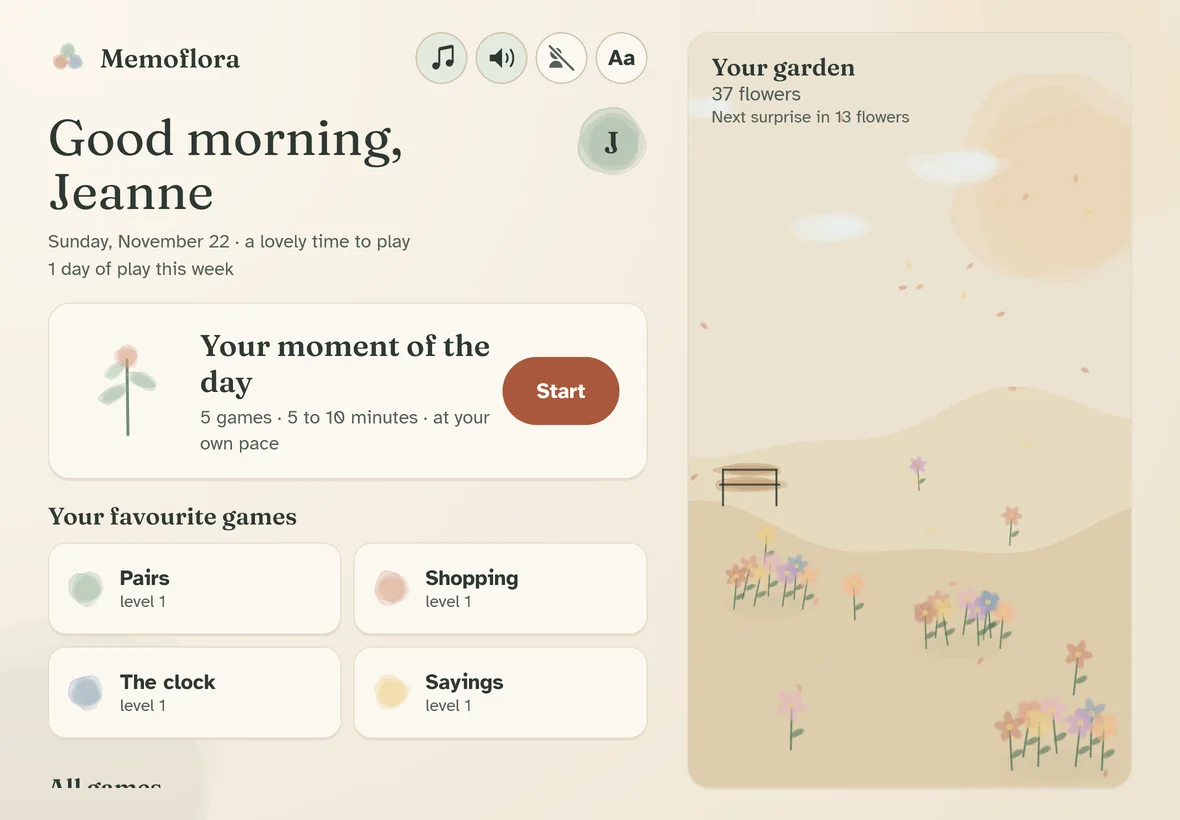
Memoflora is an app for Android tablets. Every day, residents enjoy a short moment of calm watercolour games that adapt to their own pace. The staff follow each person's activity and run group sessions.
- 29calm games
- 20levels per game, adapting gently
- 10languages
- 0internet connection, account or ads
Designed for residents
Everything is made so that each person can play without pressure and wants to come back.
Large, clear and soothing
Large letters, big buttons, soft colours. Text can be made even bigger with one tap. No timer, no harsh sounds.
Never a failure
A mistake? "Not quite. Try again, there is no hurry." After two tries, a hint appears on its own.
A level that follows the person
Each game has 20 levels. Memoflora adjusts the difficulty so that everyone succeeds most of the time: easier on difficult days, richer when all is well.
The moment of the day
Three varied games, about ten minutes, at your own pace. Every game can also be played on its own.
Instructions read aloud
For people who do not see so well: the tablet reads the instructions, and one tap repeats them.
A garden that grows
Each finished game grows a watercolour flower. Surprises arrive along the way: a bench, a fountain, a passing bird.
29 games, for memory and for pleasure
Memory, attention, orientation, numbers, language, reminiscence: each game has simple rules, and "Expert" rules for those who want more.
- PairsFind the matching pictures.
- ShoppingRemember the list, then fill the basket.
- The clockRead the time on the clock.
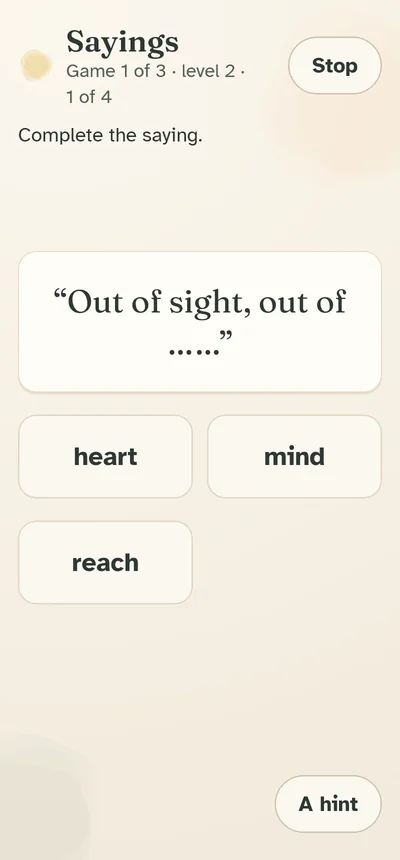
- SayingsComplete the old sayings.
- What has changed?One object was replaced: which one?
- In orderPut the objects back in the order they came.
- Seen it?Has this picture already been shown?
- How many?Remember how many there are of each object.
- DiceCount the dots on the dice.
- Jumbled wordPut the letters back in order.
- Days and monthsFind your way in the week and the year.
- Odd one outFind the picture that does not belong.
- The tuneListen to the bells, then play the tune back.
- The secret gardenFind where the flowers were growing.
- The pathWalk the stepping-stone path again.
- Put the shopping awayPut each item in the right basket.
- What comes nextWhich picture comes next?
- Smallest to largestPut the objects in order of size.
- TwinsFind the two matching pictures.
- The potsFollow the pot that hides the object.
- The patternCopy the flowers in the right places.
- Objects of yesteryearRecognise the household objects of the old days.
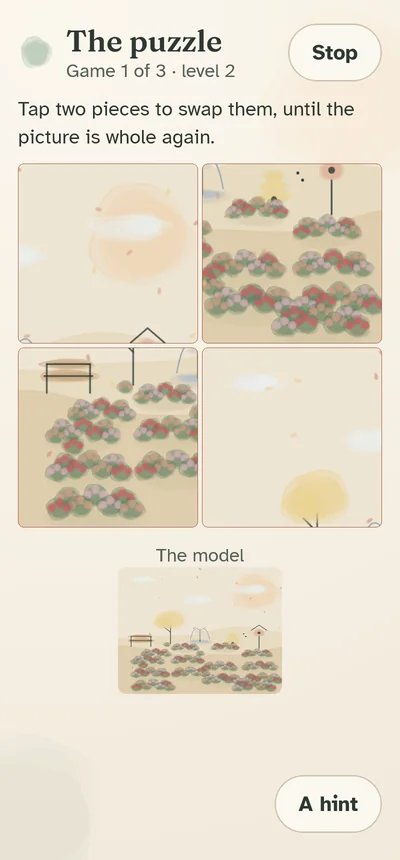
- The puzzlePut the watercolour back together.
- Spot the differenceFind what has changed.
- The recipePut the steps back in order.
- At the marketCount and pay with euros.
- Faces and namesRemember who is who.
- What goes togetherFind the things that belong together.
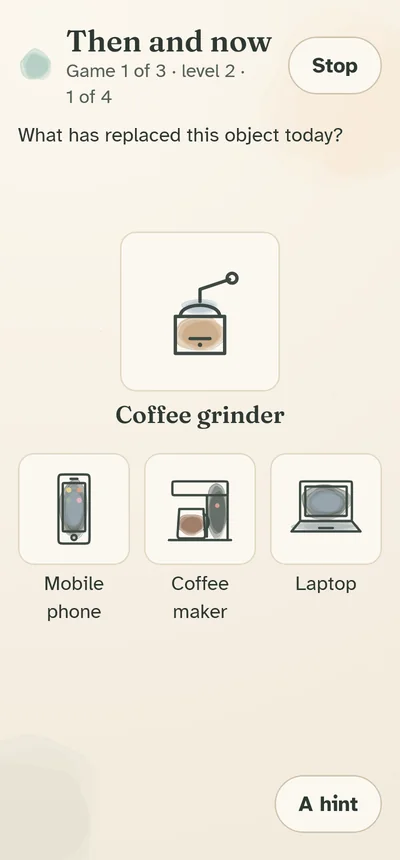
- Then and nowFind what replaced the objects of the old days.
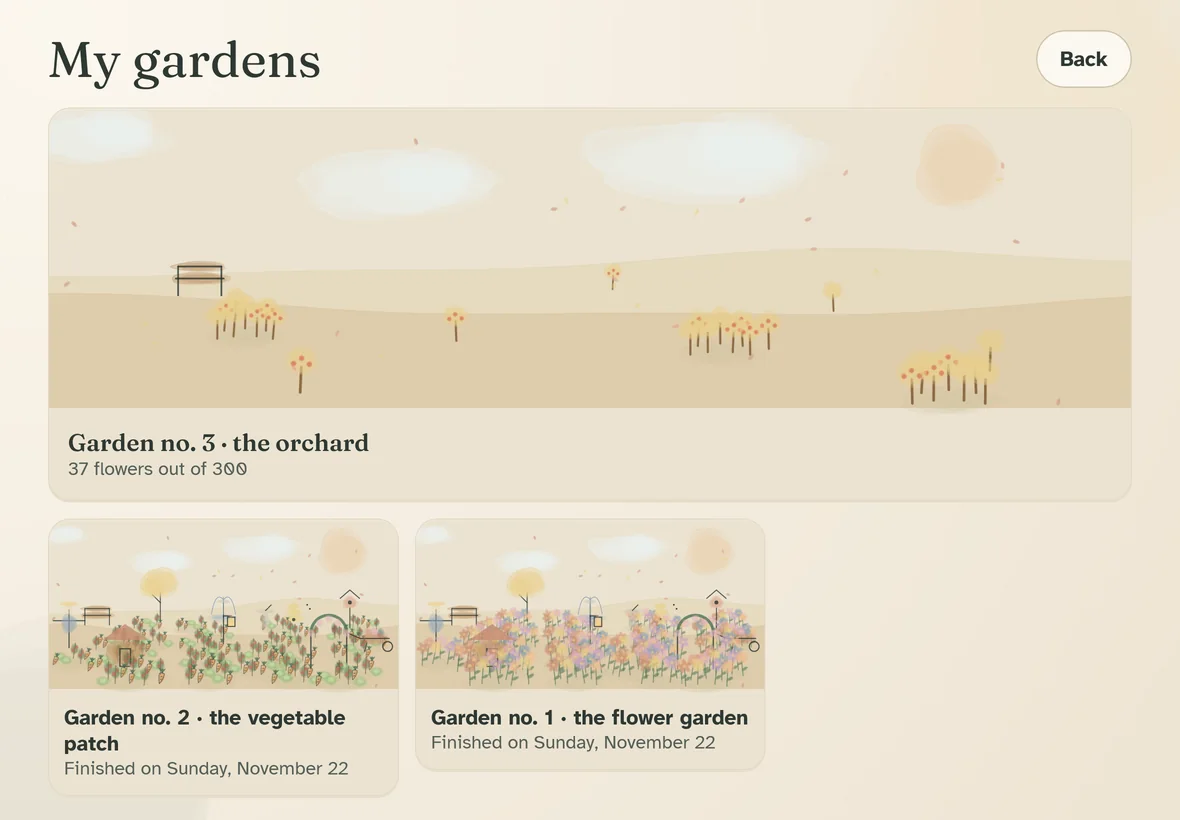
Each resident's own garden
Every person has their own garden. Flowers gather into flower beds, the seasons change, the wind moves the flowers. At 300 flowers the garden is complete and a new one begins: vegetable patch, orchard, pond, rose garden…
Finished gardens stay in an album. It is often a lovely reason to talk together.
A space just for the staff
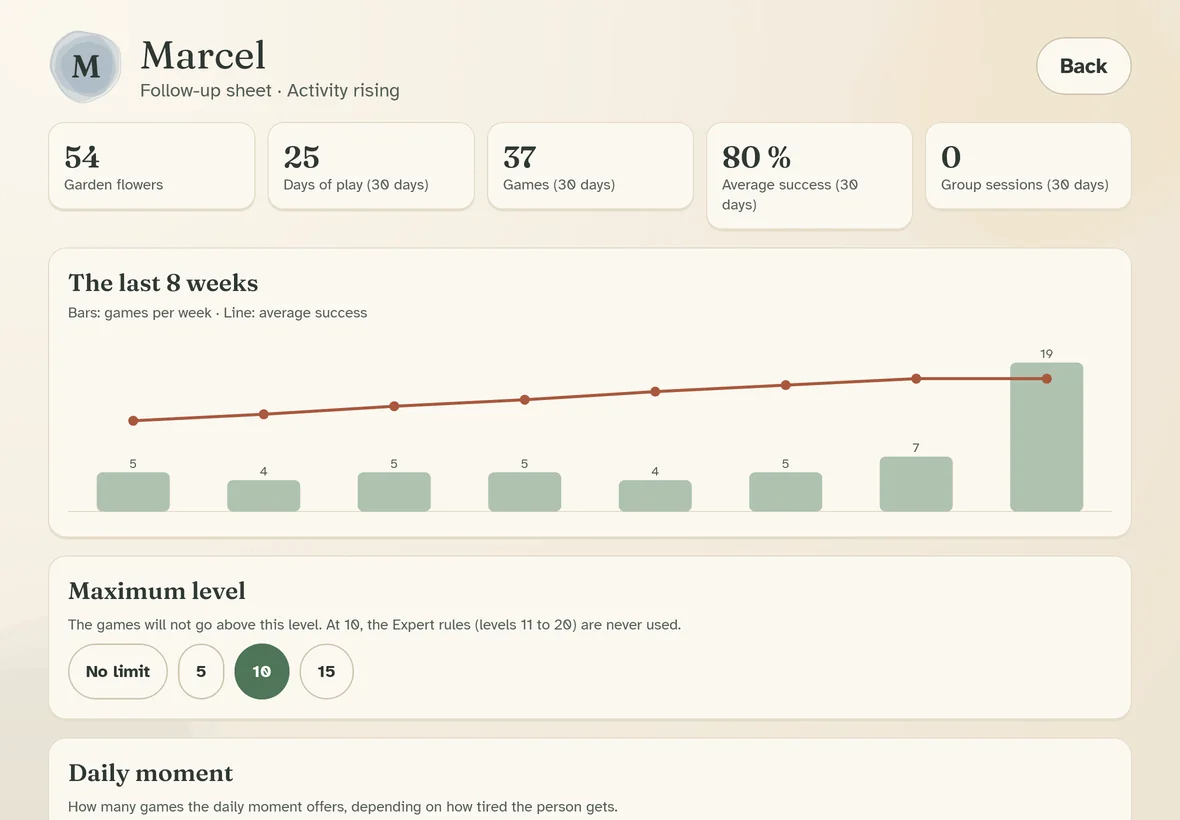
Several residents can play on the same tablet, each with their own first name, colour and follow-up. The staff area is protected by a 4-digit code.
- One sheet per resident: days of play, games and success over 30 days, a chart of the last 8 weeks, details for each game.
- A sign when success is falling compared with the previous weeks, to watch with the team.
- A maximum level for each resident, if the Expert rules are not suitable.
- A PDF report to share by email or print, for handovers or for the family.
- Tablet settings: garden animations, staff code.
Memoflora is an activity tool. It is not a test, not a medical device and not a memory assessment.
Group sessions
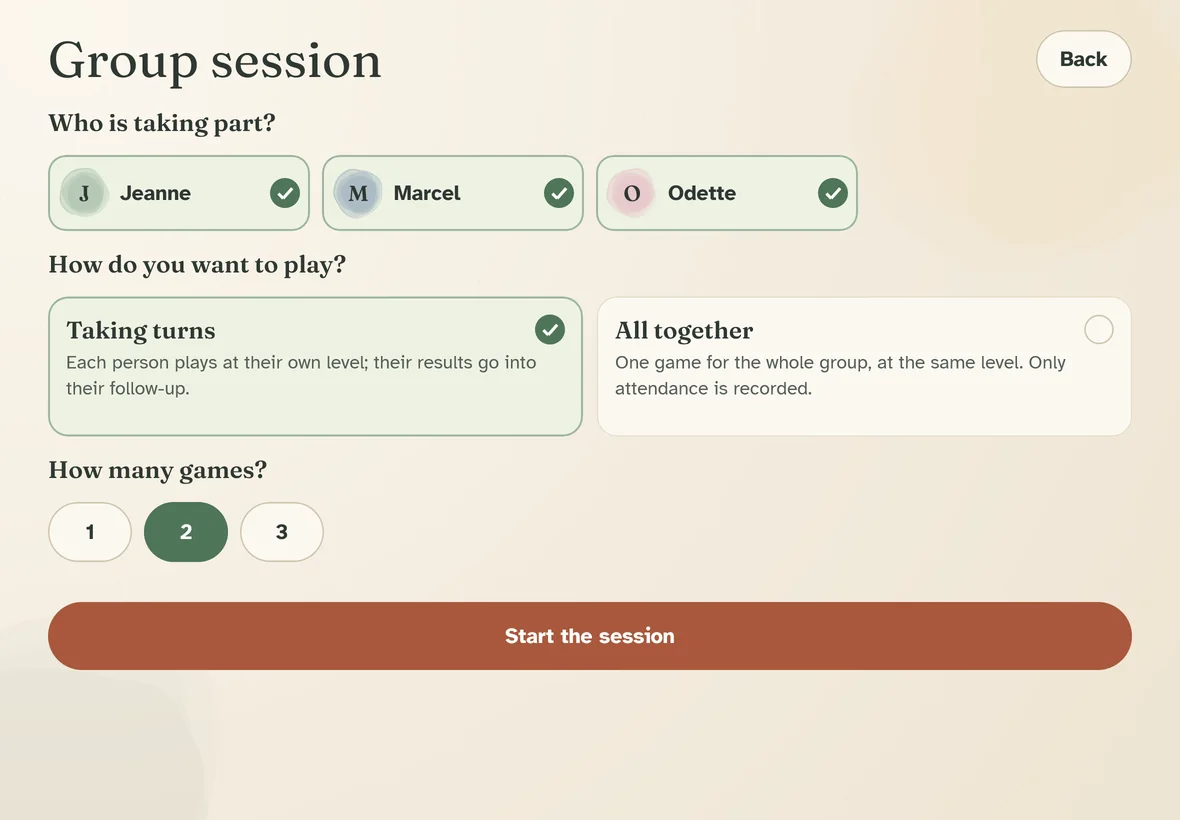
For a memory workshop or an afternoon in the activity room, Memoflora offers two ways to play together.
Taking turns
The tablet goes from hand to hand: "Your turn, Jeanne!" Each person plays at their own level, and their results go into their own follow-up.
All together
One game for the whole group, at the chosen difficulty, solved together. Only attendance is recorded.
Games that get people talking
Old sayings, household objects from our grandparents' day, recipes, first names of the time: the content is chosen for each country, and memories come back naturally.
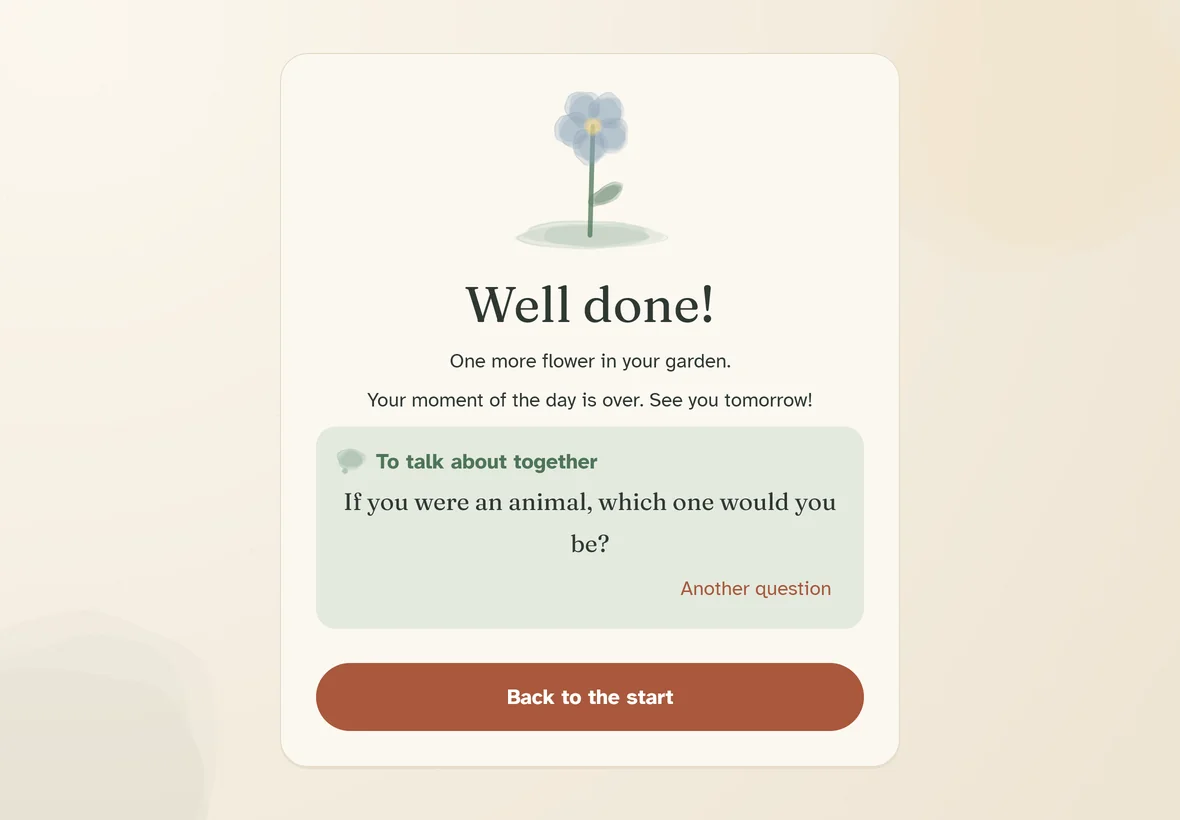
At the end of the moment of the day, a "To talk about together" question starts the conversation: "What was the Sunday dessert in your home?"
Simple and respectful
No connection
The app has no permission to use the internet. It works anywhere, even without Wi-Fi, and nothing leaves the tablet.
No account, no ads
No sign-up, no email address, no trackers. First names and results stay on the care home's tablet.
In the residents' language
English, French, Spanish, German, Italian, Portuguese (Portugal and Brazil), Dutch, Finnish and Swedish, with sayings and recipes from each country.
Memoflora in your care home
Memoflora is coming soon. Would you like a demo, a trial with your residents or a proposal for your care home? Write to us: we answer every message personally.
- Android 8 tablets or newer
- No technical set-up: no server, no network
- Easy to pick up in a few minutes
contact@memoflora.com · Please tell us the name of your care home and how many tablets you have.
Frequently asked questions
Is an internet connection needed?
No. Memoflora works completely offline. The app does not even have permission to use the internet.
How many residents can play on one tablet?
As many as you like. Each person taps their first name at the start and finds their garden, levels and follow-up.
Is it a medical tool?
No. Memoflora is a leisure activity and gentle stimulation. The follow-up helps the staff observe activity, but it is neither a diagnosis nor a memory assessment.
Are the games suitable for everyone?
The first levels are very simple and the difficulty adapts by itself. The staff can set a maximum level for each resident.
Where is residents' data kept?
Only on the tablet: first name, colour, garden and game results. Nothing is sent, neither to us nor to anyone. The PDF report is shared only if the staff decide to.
Can Memoflora be used at home?
Yes, Memoflora also suits a parent who lives at home. Write to us to hear when it comes out.